Prism
A self-hosted movie collection manager with a React web UI and a REST API.
Edition-aware release scoring, full release decision explainability, and a
native Radarr v3 API at /api/v3/ so anything that already
speaks to Radarr can point at Prism with no changes.
Features
What Prism does
Library management
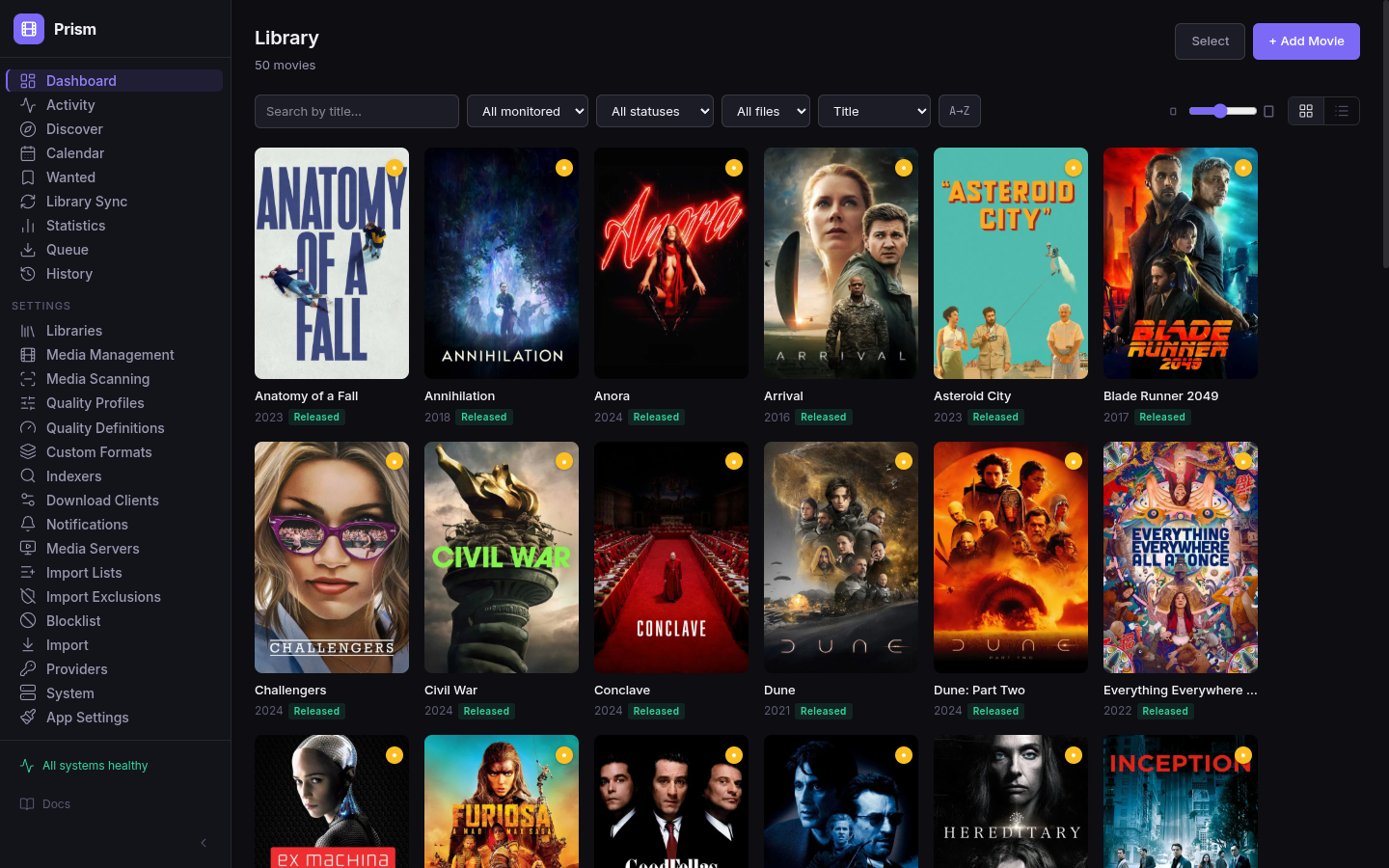
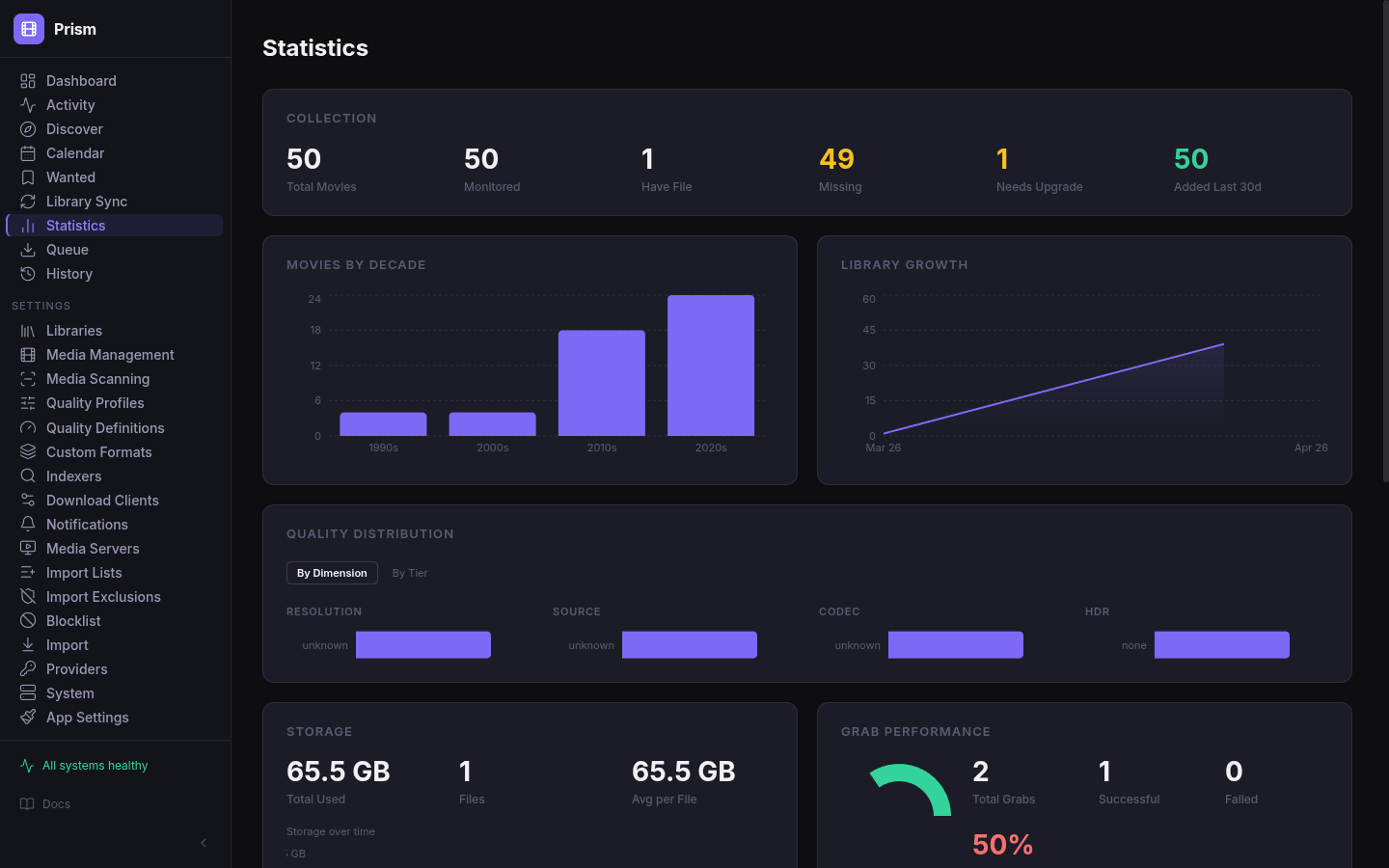
Full TMDB integration for search, metadata, posters, and collection tracking. Per-movie monitoring with automatic grab on missing. Calendar view of upcoming releases. Library stats with drill-down by quality tier, genre, decade, and indexer performance.
Edition-aware scoring
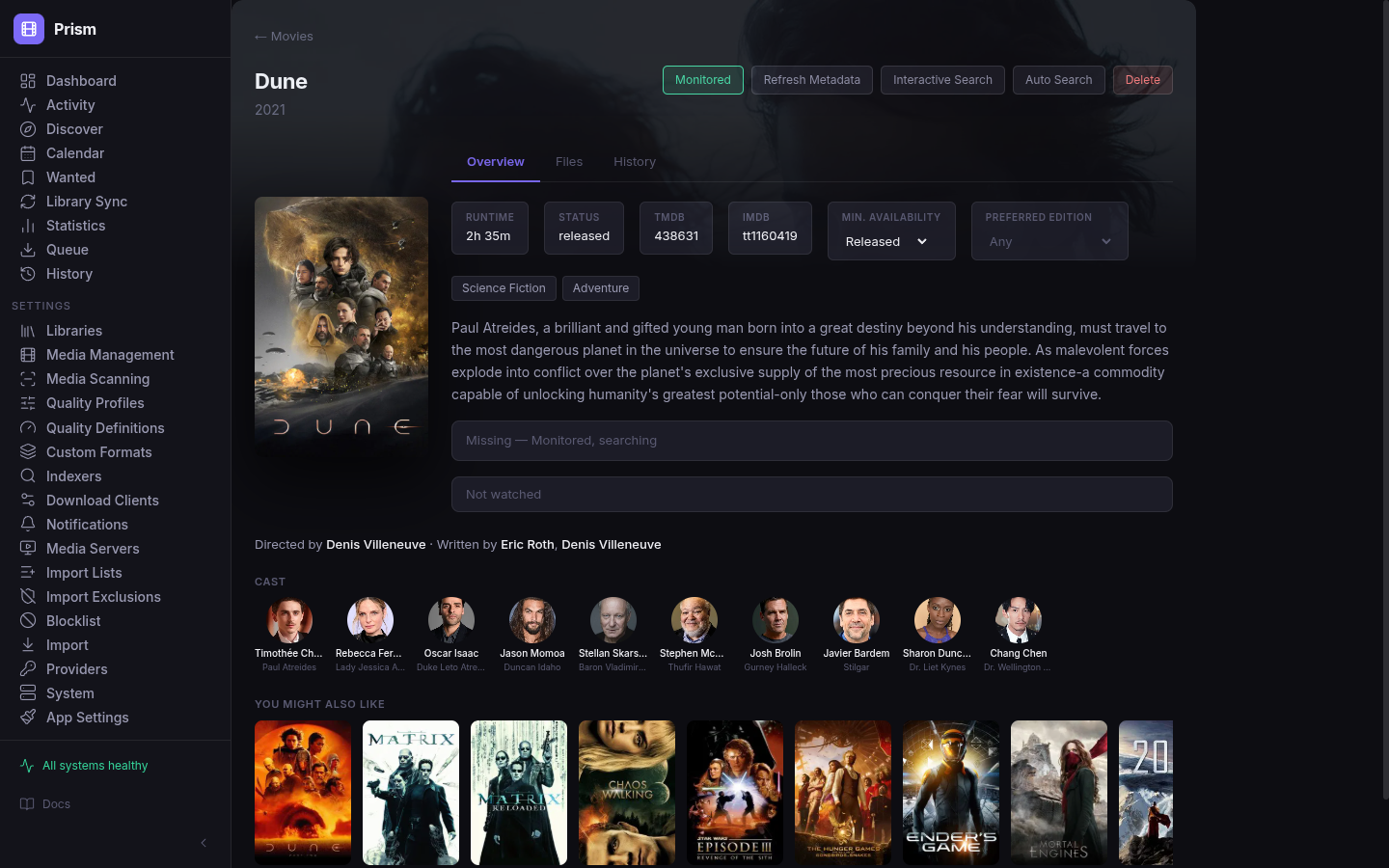
Prism's parser recognizes 15 canonical editions: Theatrical, Director's Cut, Extended, Unrated, Ultimate, Special Edition, Criterion, IMAX, Remastered, Anniversary, Final Cut, Redux, Rogue Cut, Black and Chrome, and Open Matte. Set a preferred edition per movie and matching releases score higher during the decision pass — without blocking releases of other editions.
Release decision explainability
Every release on the manual search page shows exactly which custom formats matched, which quality tier it landed in, and whether it was blocked by the title match, quality floor, or a blocklist entry. Debugging takes seconds, not mysteries.
Radarr v3 API compatibility
Prism implements the Radarr v3 API surface at /api/v3/ — the endpoints request tools and dashboards expect from Radarr (movies, queue, quality profiles, root folders, tags, system status, command). Anything that points at Radarr today should point at Prism with no changes; we accept both X-Api-Key headers and ?apikey= query params for tools that prefer the latter.
Automation
Automatic RSS sync, auto-import with rename and hardlink support. Import lists from TMDB (popular, trending, top-rated, upcoming, now-playing, person, list, collection), Trakt (popular, trending, anticipated, box office, list), Plex Watchlist, MDBList, Stevenlu, and custom URL lists. Plex Sync compares your media server library against Prism and imports the delta.
TRaSH Guides presets
Ships with TRaSH Guides custom format presets preinstalled and scored per their recommendations. A fresh install gets solid 1080p and 2160p releases without manual configuration. All formats are editable.
Interface
Screenshots
React 19 + TypeScript UI embedded in the Go binary.
Technical
Advanced features
Radarr v3 adapter
Lives in internal/api/v3/. A compatibility layer over Prism's native API that maps Radarr's endpoint shapes onto Prism's internal types. The adapter implements the endpoints typical Radarr-aware tools call — request services like Overseerr and Jellyseerr, dashboards like Homepage, and home-automation integrations like Home Assistant. We add coverage as users hit gaps; if your tool needs an endpoint that isn't there, file an issue.
Custom format engine
Compatible with Radarr's custom format engine — existing formats import cleanly. The decision engine shows exactly why each release was grabbed or skipped: which formats matched, which quality tier it hit, and what blocked it if anything did.
Import conflict detection
Warns about dimension regressions — HDR lost, audio downgrade — before grabbing. The conflict checker runs in the auto-import pass and in the manual search modal so you always know what you're replacing.
Radarr migration
Imports from a running Radarr instance in one pass. Open Settings → Import, enter the Radarr URL and API key, preview, and select categories. Supported: quality profiles, libraries, indexers, download clients, and movies with monitoring state.
docker run -d \
  --name prism \
  -p 8282:8282 \
  -v /path/to/config:/config \
  -v /path/to/movies:/movies \
  ghcr.io/beacon-stack/prism:latest
Open http://localhost:8282 — Prism generates an API key on first run. Find it in Settings → App Settings.
Configuration
Environment variables
| Variable | Default | Description |
|---|---|---|
MOVIES_PATH | — | Required. Host path to your movie library. Bound into Prism at /movies. Must be on the same filesystem as DOWNLOADS_PATH for hardlink imports. |
DOWNLOADS_PATH | — | Required. Host path to completed downloads. Shared across Pilot, Prism, and Haul. |
PRISM_PORT | 8282 | Host port for the web UI and API. Set in .env if 8282 is taken. |
PRISM_CONFIG_PATH | ./config/prism | Where Prism's config.yaml and cached state live. |
LOG_LEVEL | info | Set once in .env; Compose passes the same value to every Beacon service. debug, info, warn, error. |
TZ | UTC | IANA timezone (e.g. America/New_York). Set once in .env and applied to every service for log timestamps and scheduled tasks. |