Haul
A self-hosted BitTorrent client built on anacrolix/torrent. Accurate ETAs from a short exponential moving average, four-level stall detection that flags dead torrents most clients call healthy, a folder per category for Pilot and Prism to import from, and VPN awareness out of the box.
Features
What Haul does
Accurate ETAs
Rates and time-remaining are computed from a short exponential moving average (5-second time constant) rather than cumulative totals. Numbers track reality instead of flickering. Gaps over 30 seconds reset the tracker to avoid stale extrapolation.
Multi-level stall detection
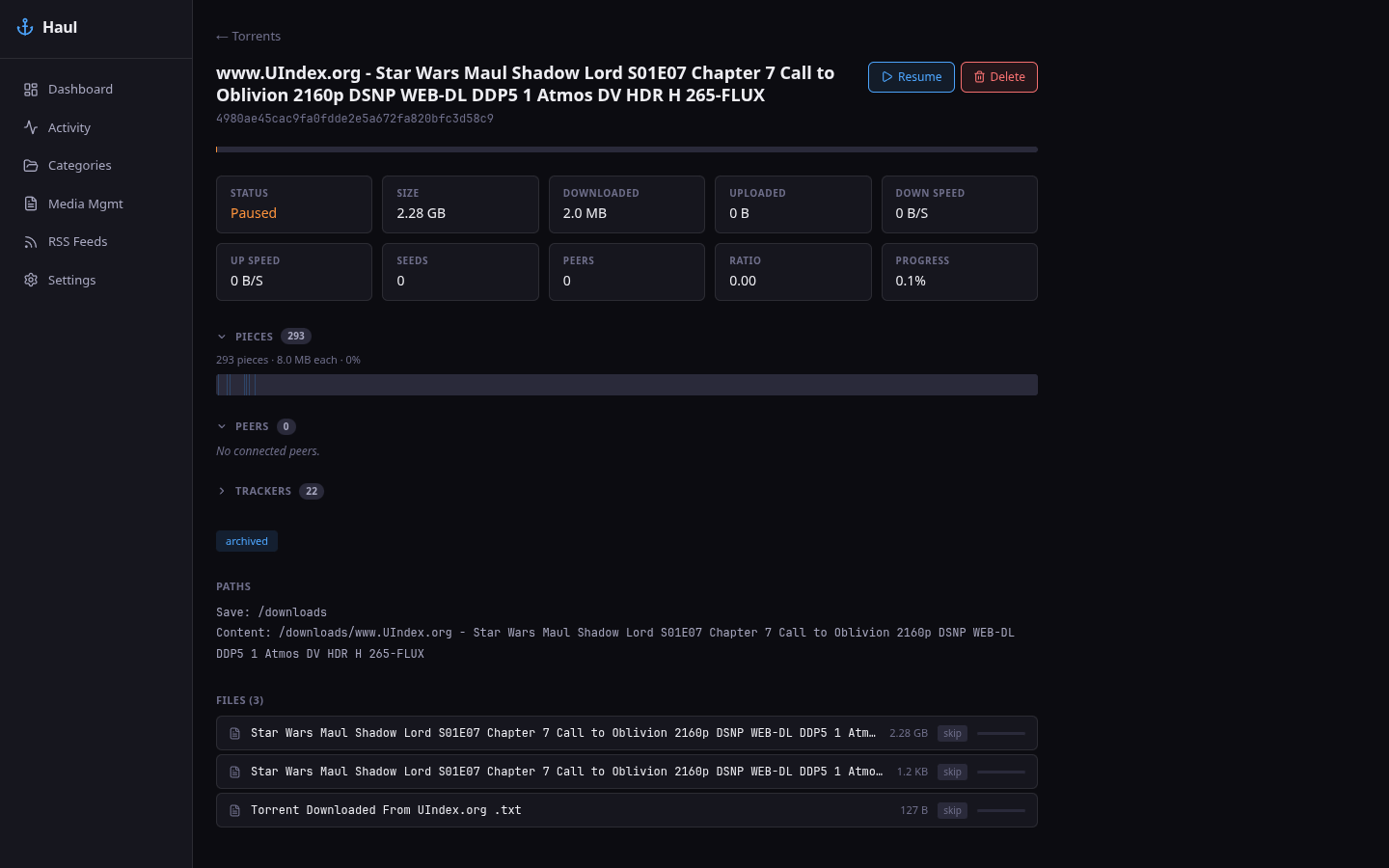
Stalled torrents are graded across four severity levels and tagged with a reason — no_peers_ever (pre-metadata, never saw a peer), no_peers (had peers, lost them all), no_seeders (peers but no seeds), no_data_received. Published to /api/v1/stalls for Pilot's stallwatcher to blocklist automatically. The 847-seeder, five-year-old release with zero actual peers is the one this catches.
Made for Pilot and Prism
Pilot's downloads are saved under tv and Prism's under movies, with the release's own name, so they keep seeding. Pilot and Prism hardlink each file into the library and rename it there. Haul has its own rename option under Media Mgmt, off by default; leave it off with Pilot or Prism.
VPN awareness
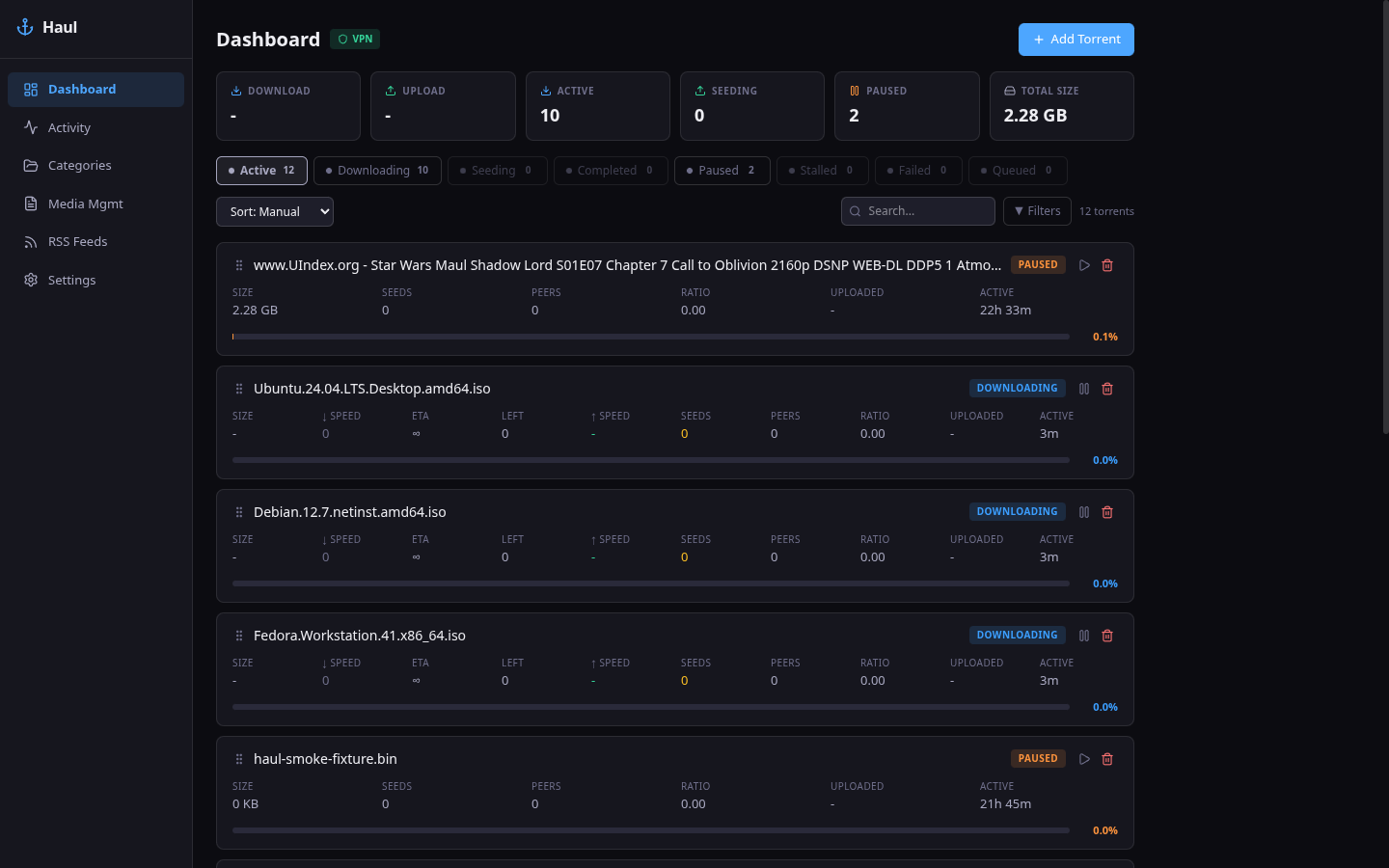
Haul detects whether it's running inside a VPN tunnel and surfaces the external IP in the dashboard — useful for catching VPN drops before they affect your downloads.
Modern React UI
Live-updated over WebSocket — no polling, no stale progress bars. Categories and tags with per-category save paths.
Notifications and REST API
Notifications for finished and stalled downloads to Discord, Slack, Telegram, ntfy, Pushover, Gotify, email or another app's URL, set up once in Pulse or in Haul itself. Full REST API at /api/v1/ with OpenAPI docs at /api/docs. WebSocket event stream at /api/v1/ws. Global speed limits, and seeding limits per torrent.
Interface
Screenshots
React 19 + TypeScript UI embedded in the Go binary. Live queue updates over WebSocket.
Technical
Advanced features
Rate tracker
anacrolix/torrent exposes cumulative byte counters, not rates. Haul samples those counters on each API request and pushes them through an exponential moving average with a 5-second time constant. The math lives in internal/core/torrent/rate.go.
Stall classification
Four-level state machine in internal/core/torrent/stall.go. Level 1: no activity for stall_timeout (reannounce). Level 2: 2× the timeout (force DHT). Level 3: 5× the timeout (notify ecosystem). And the special StallNoPeersEver level for torrents that never saw a single peer past the startup grace period — the classic "looks healthy on paper, no one home" case.
Pilot / Prism integration
Pilot and Prism POST to /api/v1/torrents when they grab a release, with a category that decides where it's saved. Haul sends notifications on completion and publishes stall events to /api/v1/stalls, which Pilot polls to blocklist dead torrents automatically.
Per-category save paths
Each category has its own save folder: Pilot's downloads land in tv, Prism's in movies, and you can add your own. Each torrent's files are written straight to its category's folder. Pilot and Prism import from there.
Install
Getting started with Haul
Haul runs on its own. Grab its compose file, set two paths and start it. To use it from Pilot or Prism, or to put it behind a VPN, see the install guide.
# Get the compose file, then set its paths
curl -fsSLO https://raw.githubusercontent.com/beacon-stack/haul/main/docker/docker-compose.yml
docker compose up -d
Torrents are saved in /data/torrents/<category>: Pilot's in tv, Prism's in movies.
Open http://<host>:8484. No login is needed from your own network, and connections from anywhere else are refused. To reach Haul from outside, or to require a login from everyone, set a username and password in Settings → Security. Add Haul to Pilot or Prism as a download client with http://<host>:8484; on the same network no key is needed.
Configuration
Mounts and environment variables
| Setting | Default | Description |
|---|---|---|
/config | — | Required mount. Haul's database and settings. Keep it on a local disk. |
/data | — | Required mount. The same folder Pilot and Prism get at /data, so their imports are hardlinks. Must be writable by uid 1000. |
HAUL_TORRENT_DOWNLOAD_DIR | /downloads | Where torrents are saved, in a subfolder per category. The compose file sets /data/torrents. |
HAUL_TORRENT_LISTEN_PORT | 6881 | Peer port (TCP and UDP). Forward it on your router, or through your VPN, for incoming peers. |
HAUL_PULSE_URL | — | Pulse address. With it, Haul registers itself as Pilot's and Prism's download client. |
HAUL_PULSE_API_KEY | — | Pulse's API key, needed with HAUL_PULSE_URL. |
ADVERTISE_HOST | container hostname | Address Pilot and Prism use to reach Haul: haul, vpn behind a VPN, or the host's IP across separate compose files. |
HAUL_AUTH_API_KEY | generated | API key for scripts and other apps. When unset, Haul keeps one in /config/api_key. |
HAUL_AUTH_LOCAL_NETWORKS | — | Extra address ranges that count as your local network, comma-separated, e.g. 100.64.0.0/10. The private ranges (192.168.x.x, 10.x.x.x, 172.16–31.x.x) always do. Also editable in Settings. |
HAUL_SERVER_ALLOWED_HOSTS | — | Extra names Haul may be opened under without a login, comma-separated, e.g. haul.example.com behind a reverse proxy. IP addresses and local names always work. |
HAUL_LOG_LEVEL | info | debug, info, warn, error. |
TZ | UTC | IANA timezone, e.g. America/New_York. |