Pilot
A self-hosted TV series manager with a React web UI and a REST API. Tracks your TV library via TMDB, polls indexers (the search APIs that catalog releases) for new episodes, hands grabs to your download client, and files completed downloads into season folders.
Features
What Pilot does
Library management
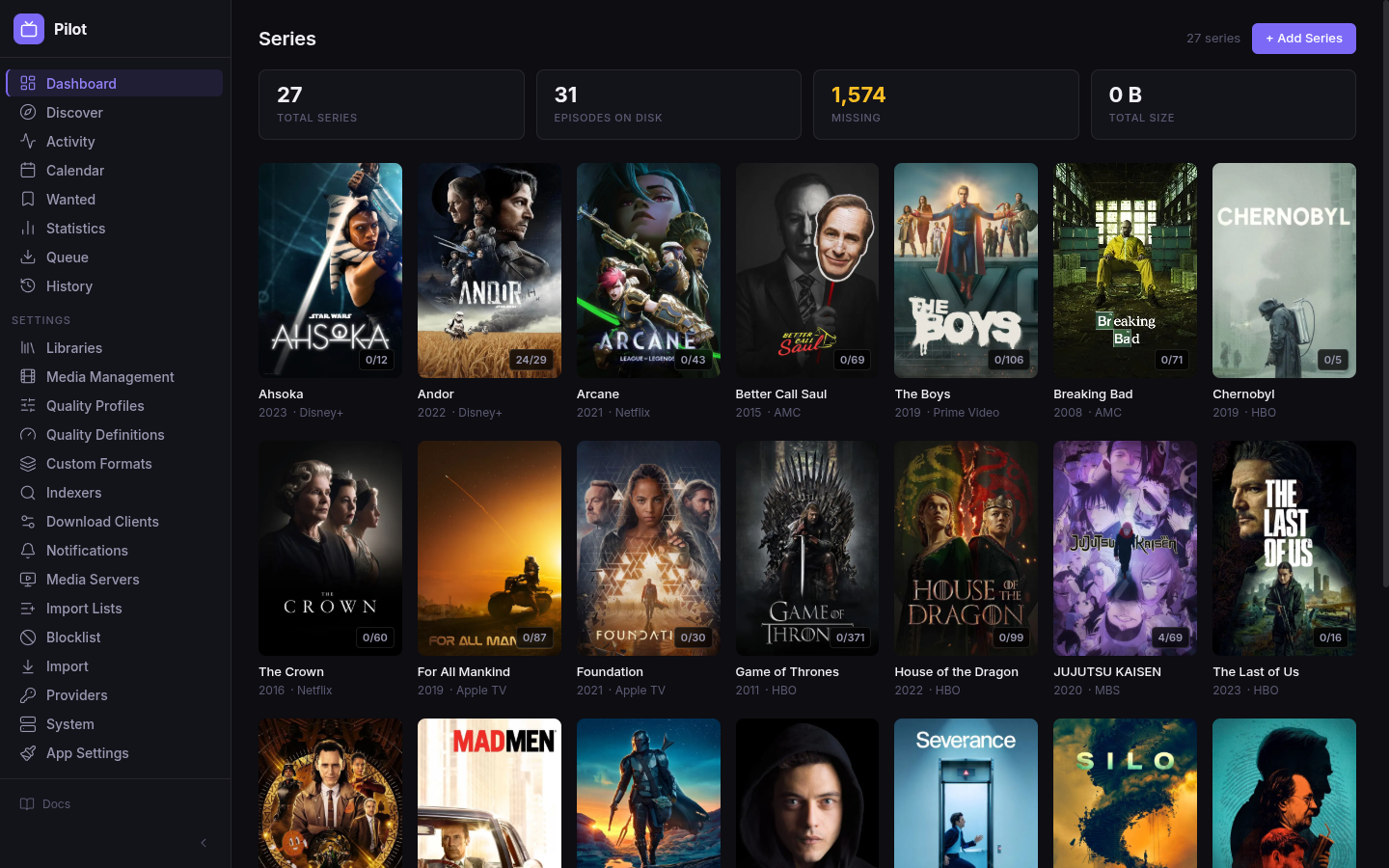
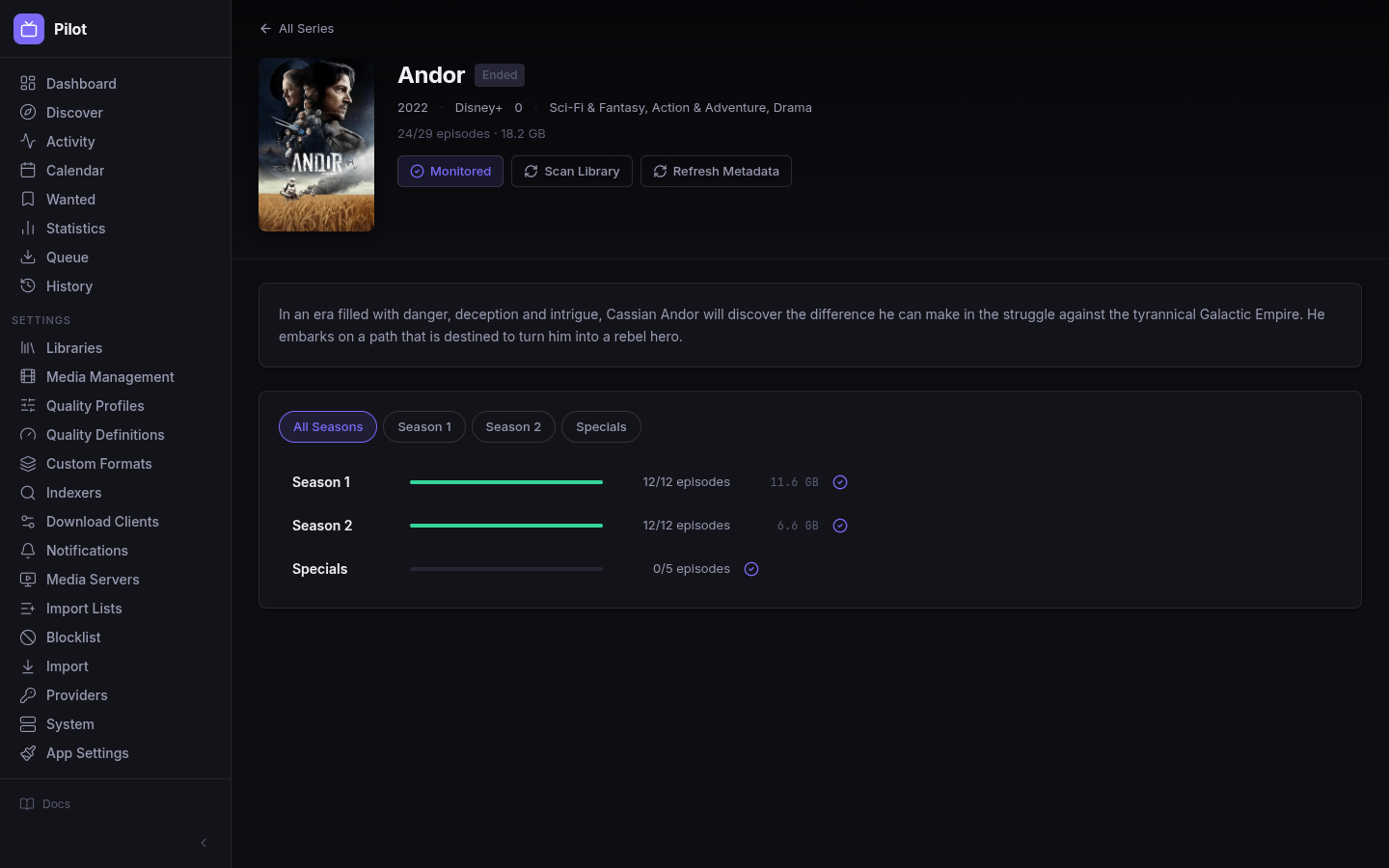
Full TMDB integration for search, metadata, posters, and episode tracking. Per-series monitoring with configurable monitor types. Season and episode-level monitoring controls, wanted page, and a calendar view of upcoming episodes.
Release handling
Quality profiles — ranked lists of acceptable resolutions, sources, codecs, and HDR variants — drive the grab decision. Release profiles add required and ignored terms on top. A title-match filter rejects releases whose parsed show name doesn't match the requested series, so a "The Office" search never grabs an "Office Space" pack with overlapping words.
Dead-torrent detection
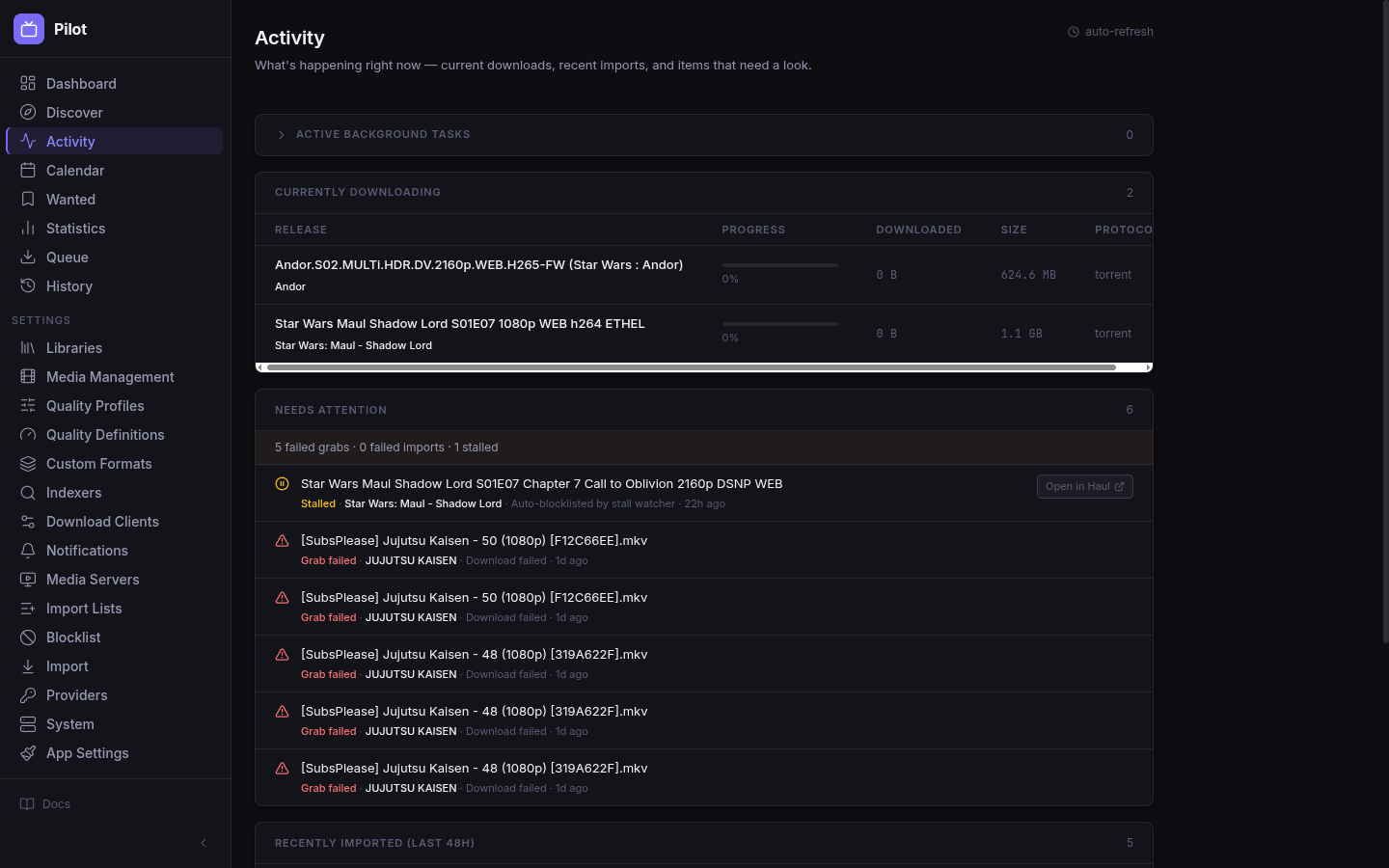
The stallwatcher polls your download client for stalled torrents and blocklists them. A per-episode circuit breaker caps auto-blocklist events at three strikes per 24 hours so a misconfigured indexer can't trigger a retry storm.
Automation
Automatic RSS sync every 15 minutes. Auto-import of completed downloads with rename support. Import lists from TMDB, Trakt, Plex Watchlist, and custom URL lists. Season folder organization with configurable naming.
Integrations
Indexers via Newznab and Torznab (the two standard search APIs the *arr ecosystem speaks), either configured locally or synced from Pulse. Download clients: Haul, qBittorrent, Deluge, Transmission, SABnzbd, NZBGet. Media servers: Plex, Jellyfin, Emby. Notifications: Discord, Slack, Telegram, Pushover, Gotify, ntfy, email, or another app's URL, set up once in Pulse or in Pilot itself.
Command palette
Cmd/Ctrl+K command palette with fuzzy search for pages, series, and actions. Eighteen theme presets, dark and light, shared across every Beacon service. The queue refreshes every 10 seconds. OpenAPI docs at /api/docs.
Interface
Screenshots
React 19 + TypeScript UI embedded in the Go binary.
Technical
Advanced features
Title matching
The release filter runs every parsed title through a matcher in internal/parser/title.go that rejects titles whose parsed show name doesn't match the requested series after normalization. Year suffixes, bracketed edition tags, and common release-group stylings all pass through cleanly.
Stallwatcher circuit breaker
internal/core/stallwatcher/service.go asks Haul once a minute which torrents have stalled, classifies them by reason, and blocklists them. The per-episode circuit breaker caps auto-blocklist events at three strikes per 24 hours. Both numbers are fixed; what counts as stalled is set in Haul, under Settings → Queue → Stall Timeout.
Interactive search ranking
Releases sort by Quality → Revision (PROPER/REPACK) → Episode Count → age-aware log10 Seed Weight → Age. The Episode Count tier lifts season packs above individual episodes within the same quality tier, the way Sonarr's release comparer does. The Seed Weight tier — log10 of the seed count, with an age cap on torrents older than a year — is what stops the 847-seeder, five-year-old release with zero actual peers from winning the sort.
Sonarr migration
Pilot imports from a running Sonarr instance in one pass. Open Settings → Import, enter the Sonarr URL and API key, preview, and select categories. Supported: quality profiles, libraries, indexers, download clients, and monitored series.
Install
Getting started with Pilot
Pilot runs on its own, like Sonarr. Grab its compose file, set two paths and start it. To run it with Haul, Prism or Pulse, see the install guide.
# Get the compose file, then set its paths
curl -fsSLO https://raw.githubusercontent.com/beacon-stack/pilot/main/docker/docker-compose.yml
docker compose up -d
/data/media/tv is created as Pilot's library on first start, along with default quality profiles.
Open http://<host>:8383. No login is needed from your own network, and connections from anywhere else are refused. To reach Pilot from outside, or to require a login from everyone, set a username and password in Settings → App Settings → Security.
Configuration
Mounts and environment variables
| Setting | Default | Description |
|---|---|---|
/config | — | Required mount. Pilot's database and settings. Keep it on a local disk. |
/data | — | Required mount. Your media and downloads in one folder, the same one every Beacon app gets. The library is /data/media/tv; downloads go to /data/torrents/tv. Must be writable by uid 1000. |
PILOT_PULSE_URL | — | Pulse address, e.g. http://pulse:9696. Empty runs Pilot on its own. |
PILOT_PULSE_API_KEY | — | Pulse's API key, needed with PILOT_PULSE_URL. |
ADVERTISE_HOST | container hostname | Address Pulse uses to reach Pilot: the service name in one compose file, or the host's IP across separate ones. |
PILOT_AUTH_API_KEY | generated | API key for scripts and other apps. Shown in Settings → App Settings. |
PILOT_AUTH_LOCAL_NETWORKS | — | Extra address ranges that count as your local network, comma-separated, e.g. 100.64.0.0/10. The private ranges (192.168.x.x, 10.x.x.x, 172.16–31.x.x) always do. Also editable in Settings. |
PILOT_SERVER_ALLOWED_HOSTS | — | Extra names Pilot may be opened under without a login, comma-separated, e.g. pilot.example.com behind a reverse proxy. IP addresses and local names always work. |
PILOT_LOG_LEVEL | info | debug, info, warn, error. |
TZ | UTC | IANA timezone, e.g. America/New_York. |